
5.6
Release Date: April 13, 2026
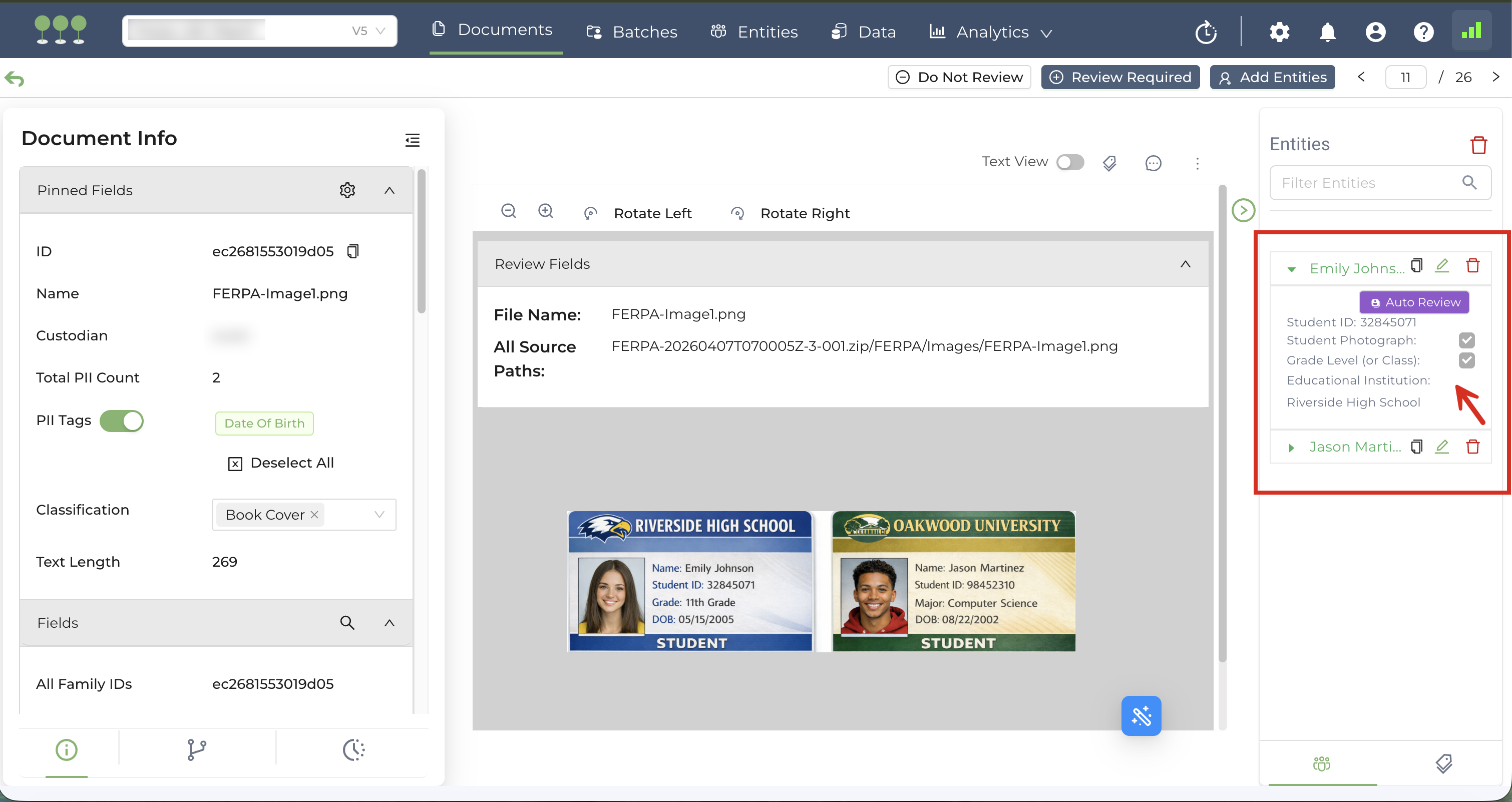
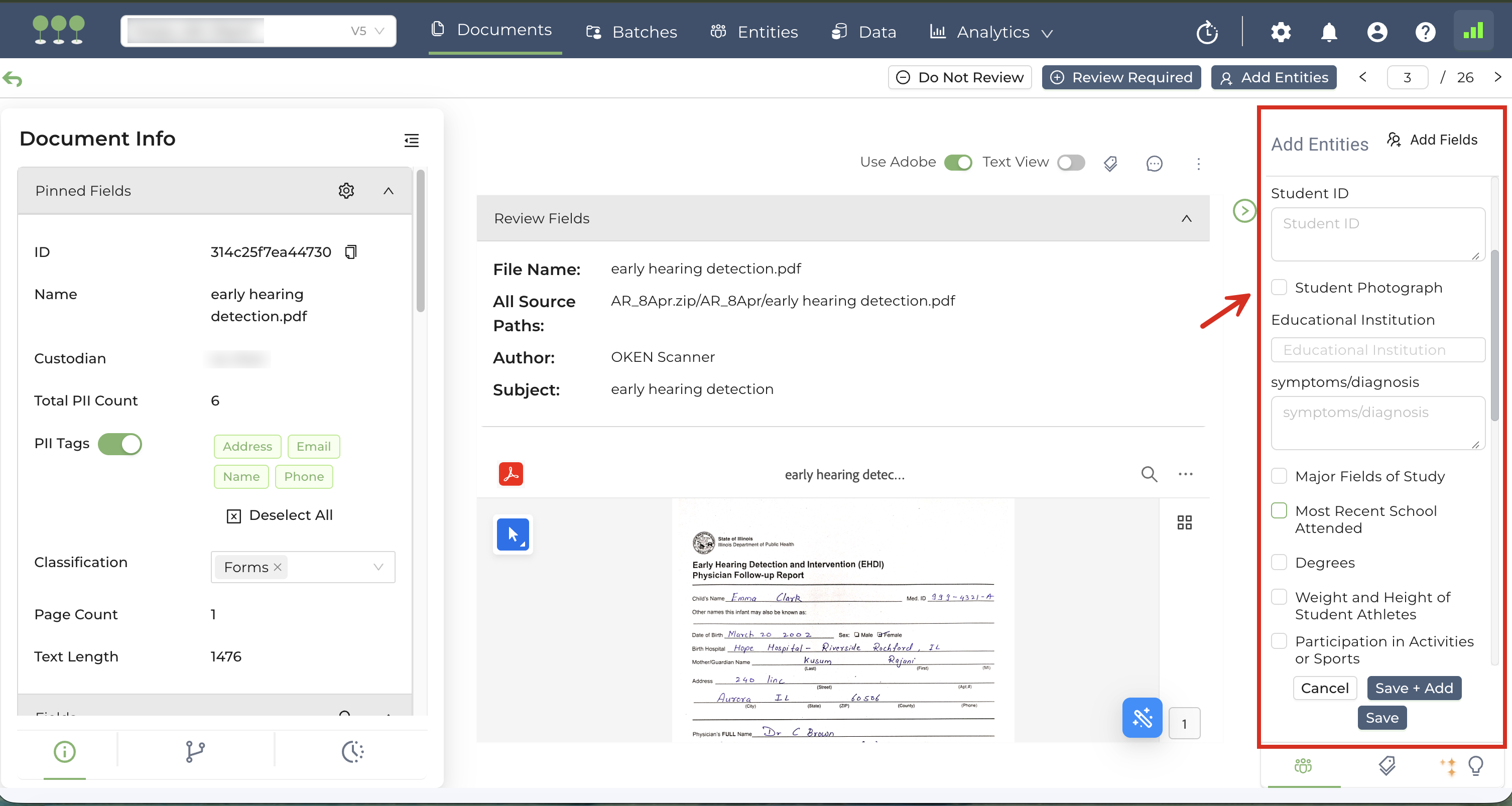
We’ve expanded our data schema to include fields specific to the Family Educational Rights and Privacy Act (FERPA). The FERPA fields listed below are now supported for both Manual and Auto Review:
| Field Name | Field Type |
|---|---|
| Student ID | Single Line Field/Checkbox |
| Report Card | Checkbox |
| Transcript | Checkbox |
| Grade | Checkbox |
| Grade Point Average | Checkbox |
| Grade Level (or Class) | Checkbox |
| Disciplinary Records | Checkbox |
| Class Schedule | Checkbox |
| Test and Exam Score | Checkbox |
| Special Education Record | Checkbox |
| Health and Immunization Records | Checkbox |
| Honors and Awards | Checkbox |
| Dates of Attendance | Checkbox |
| Student Photograph | Checkbox |
| Enrollment Status | Checkbox |
| Participation in Activities and Sports | Checkbox |
| Weight and Height of Student Athletes | Checkbox |
| Degree | Checkbox |
| Most Recent School Attended | Checkbox |
| Major Fields of Study | Checkbox |
| Educational Institution | Single Line Field |
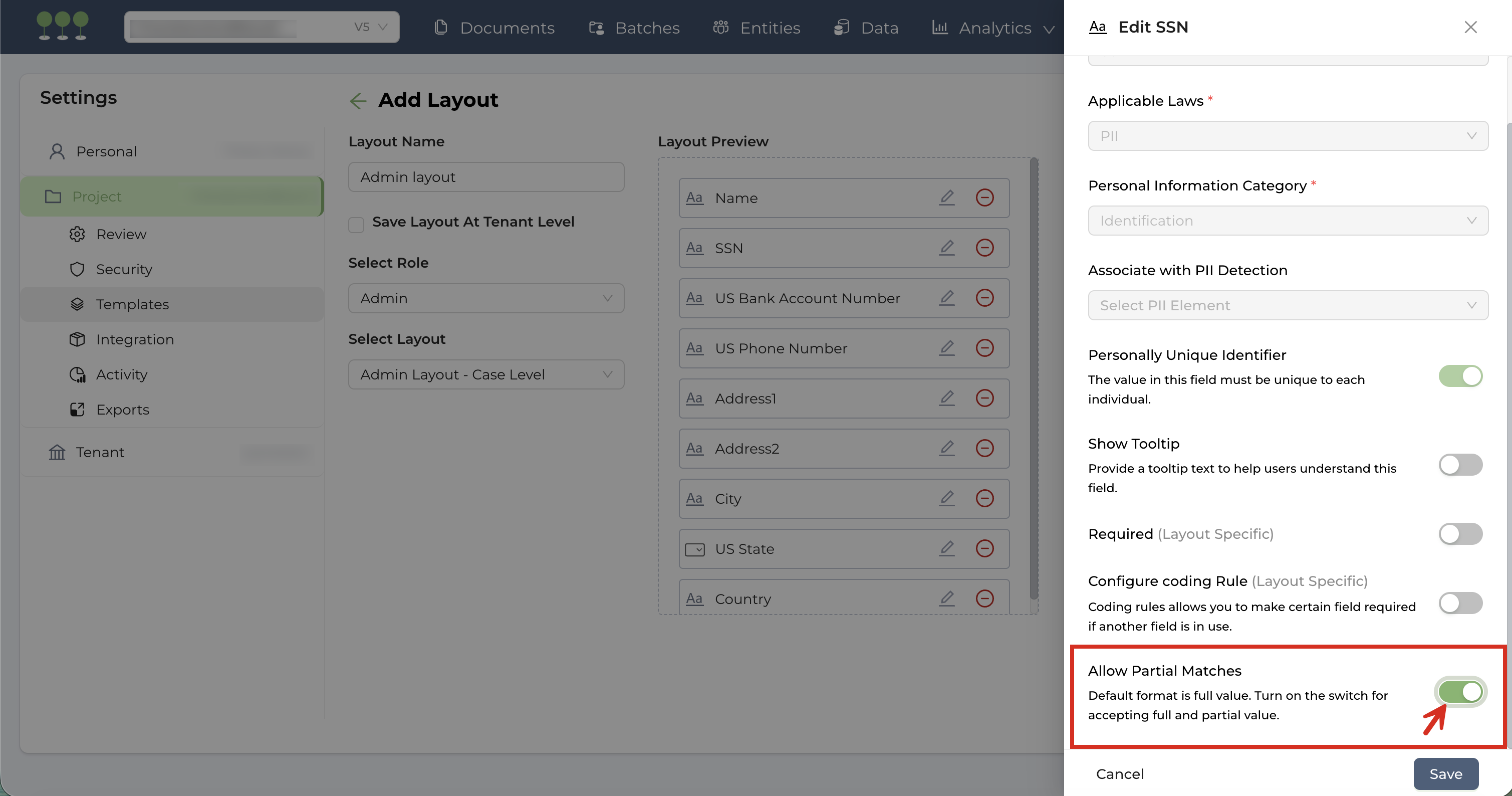
We’ve introduced more granular control over how Social Security Numbers (SSN) are managed in your projects. Users can now choose between requiring a Full SSN or allowing Partial SSN matches to provide greater flexibility during data entry and consolidation.
By default, new projects require a full 9-digit SSN entry. To enable flexible entry, follow these steps:
- Navigate to Project Setting, and select Template.
- Under Entity Panel Layout, click Manage Entity Layout.
- Locate a layout containing the SSN field and click Edit Layout.
- On the SSN field, click Edit.
- Toggle on Allow Partial Matches to enable flexible SSN entry.
- Save your changes and Update the Layout.
- Global change: If the SSN field exists in multiple layouts within the project, a confirmation modal will appear, confirming that the partial match setting will apply to the SSN field across all layouts in the project.
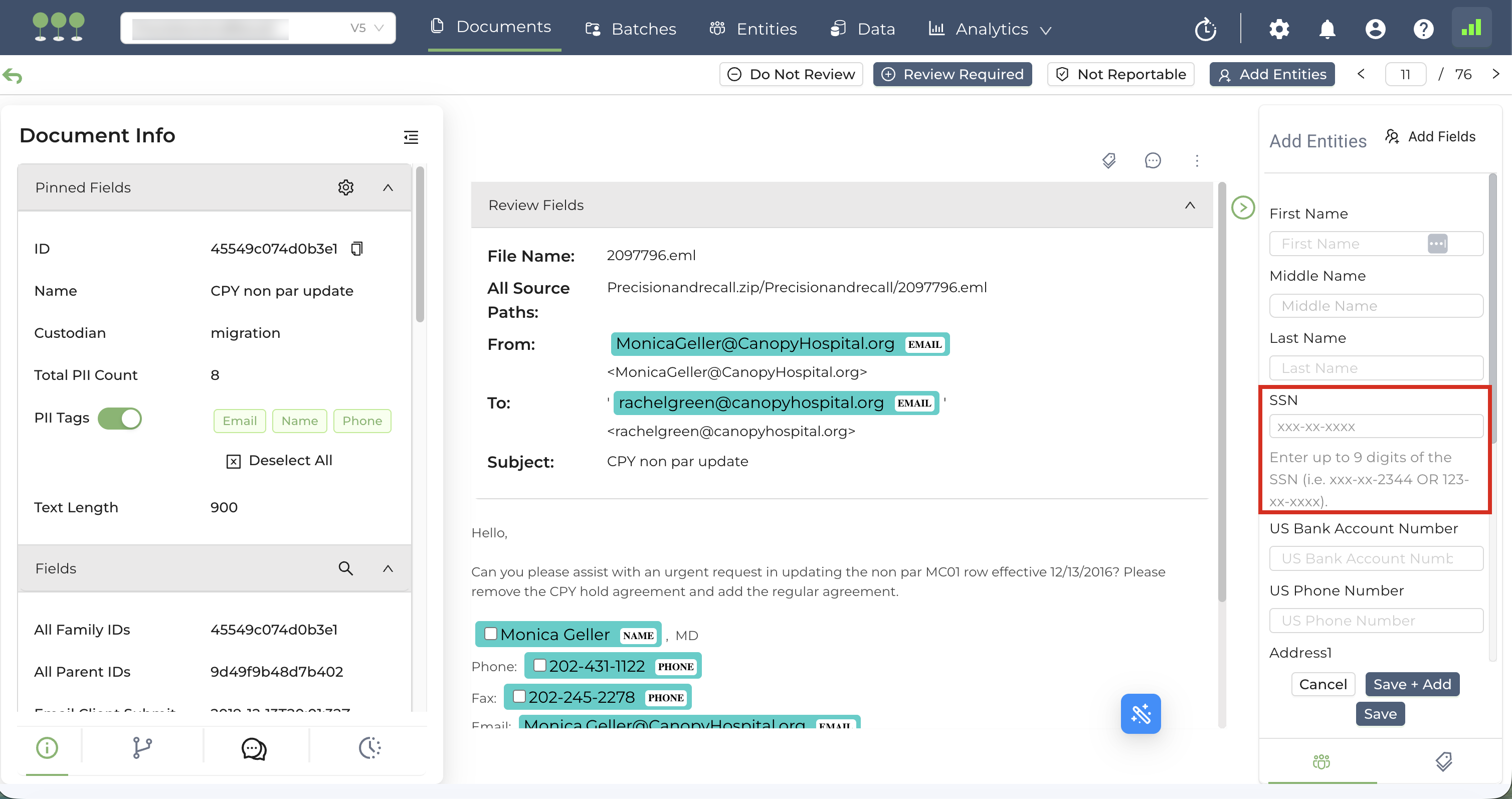
By default, when entities contain both partial and full SSN entries, Canopy utilizes enhanced logic to determine when a merge is appropriate during consolidation.
The table below illustrates an example of how the system handles SSN and Name data combinations during the backend matching process:
| SSN | Name Match (First & Last) | Merge Logic | Examples |
|---|---|---|---|
| Identical Partial SSN | Different Name | Do not Merge | Entity 1 - Name: John Doe, SSN: XXX-XX-9845 Entity 2 - Name: Mary Jane, SSN: XXX-XX-9845 |
| Identical Partial SSN | Identical Names | Merge | Entity 1 - Name: John Doe, SSN: XXX-XX-9845 Entity 2 - Name: John Doe, SSN: XXX-XX-9845 |
| Partial SSN with different masking | Identical Names | Merge | Entity 1 - Name: John Doe, SSN: XXX-43-9845 Entity 2 - Name: John Doe, SSN: 562-XX-9845 |
| Different Partial SSN | Identical Names | Do not Merge | Entity 1 - Name: John Doe, SSN: XXX-XX-9845 Entity 2 - Name: John Doe, SSN: XXX-XX-7564 |
| Partial SSN of an entity matches the other entity’s Full SSN | Identical Names | Merge | Entity 1 - Name: John Doe, SSN: XXX-XX-9845 Entity 2 - Name: John Doe, SSN: 562-43-9845 |
Note that the system will only merge Partial and Full SSN entries under the conditions above if the following criteria are also met:
- Zero Conflict Validation: All PUIDs configured for Field Conflict Setting (e.g., Name, DOB, Driving License Number, Passport Number etc.) must contain no conflicting data.
- PUIDs Alignment: If a Merge scenario above contains at least one matching PUIDs, the entities will be merged. However, if the entities contain conflicting PUIDs, the merge will be bypassed, and instead, the entities will only be grouped.
Canopy commits to delivering industry-standard Auto Review. We have recently optimized our AI models to provide more accurate and reliable results.
This update reduces false positives and ensures that the Auto Review results are consistent across diverse datasets.
We have implemented a structural fix to the Processing pipeline to resolve intermittent failures during the extraction and queuing of email containers.
This update ensures that all extracted items from email files such as .pst, .eml, .msg, are correctly generated and moved into the processing queue without fail.
We’ve implemented several key improvements to the Processing engine to handle complex file structures and specialized formats more reliably. These enhancements include:
- Spreadsheet Extraction: Optimized the extraction process for
.xls,.xlsx,.xlsm, and.xlsbfiles that previously failed due to the presence of macros or external connections. - PDF Stability and DocuSign Support: Improved the extraction of
.pdffiles that contain pages with oversized images, and those exported from DocuSign. - ISO File Support: Resolve extraction of
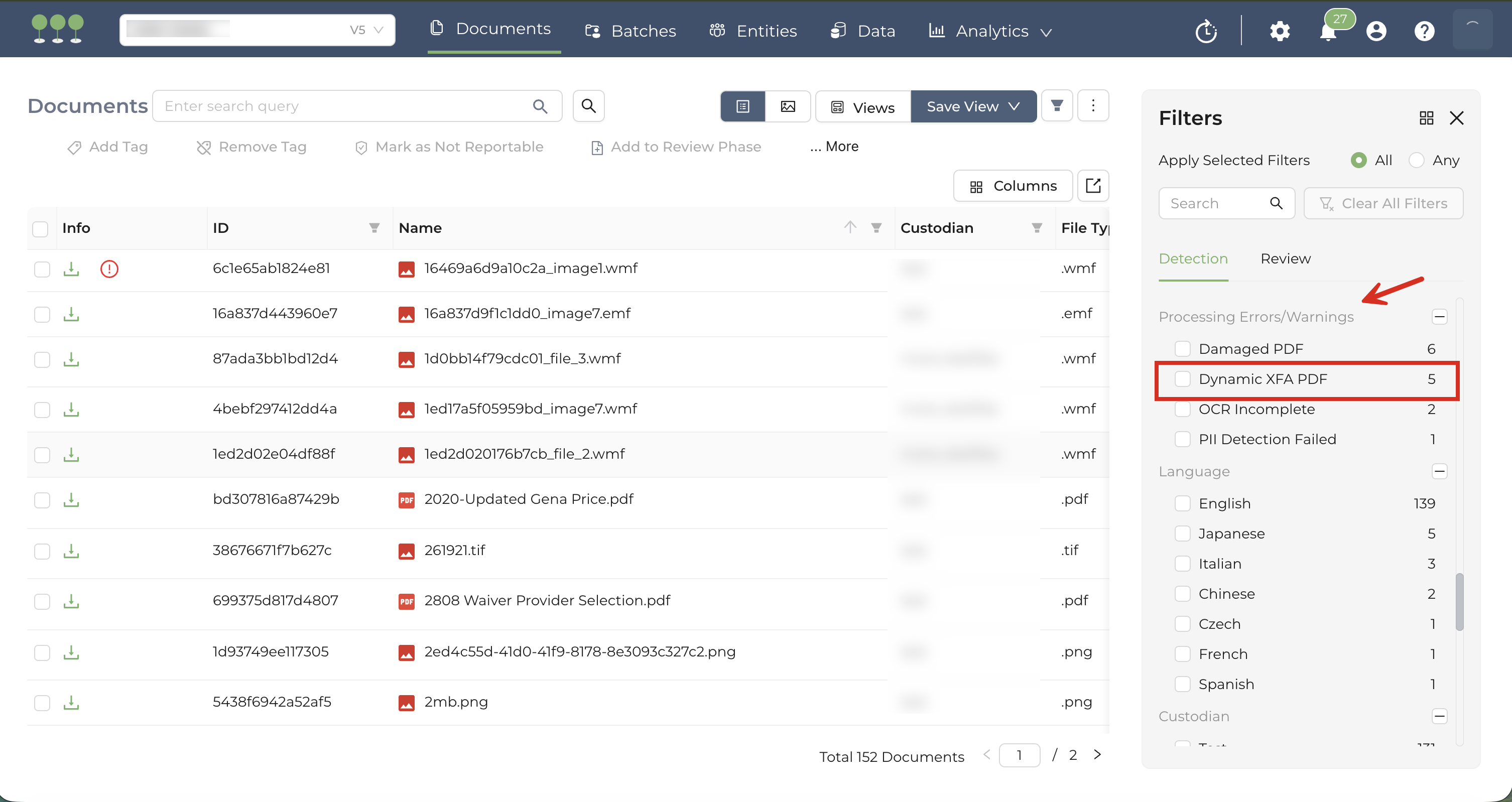
.isofiles that were failing due to file format issues. - Dynamic XFA Identification: Identify and tag Dynamic XFA PDF files under the Processing Errors/Warnings filter.
We’ve completed a routine upgrade to our Python technology stack that will improve performance on different parts of the application. This is a backend-only update, and it will not affect your workflow.
This release includes infrastructure improvements designed to ensure maximum integrity and security.
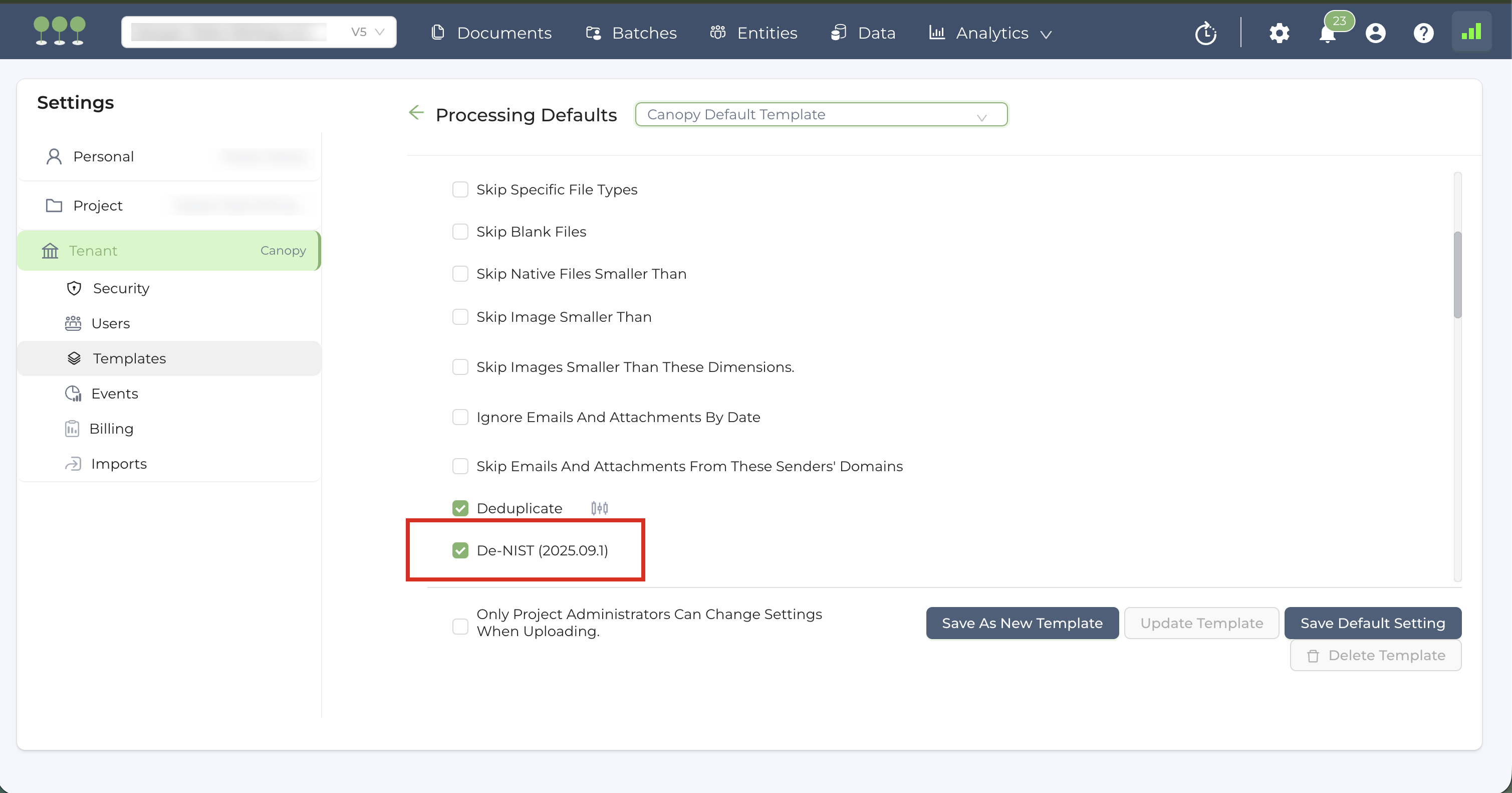
We’ve updated our NIST (National Institute of Standards and Technology) database to the latest version and continue to perform this update semi-annually to ensure industry-standard data filtering during the Processing.
The active NIST version is clearly displayed within the Processing Template.
We’ve optimized the Auto Review extraction logic for expiry dates of data elements such as passports, licenses, and credit cards. This update ensures that expiration dates are captured during Auto Review.
We’ve fixed a bug that caused Auto Review to suggest “empty” or null entities.
The system now filters out blank results, ensuring that the Suggested Entities only contains valid, actionable data.